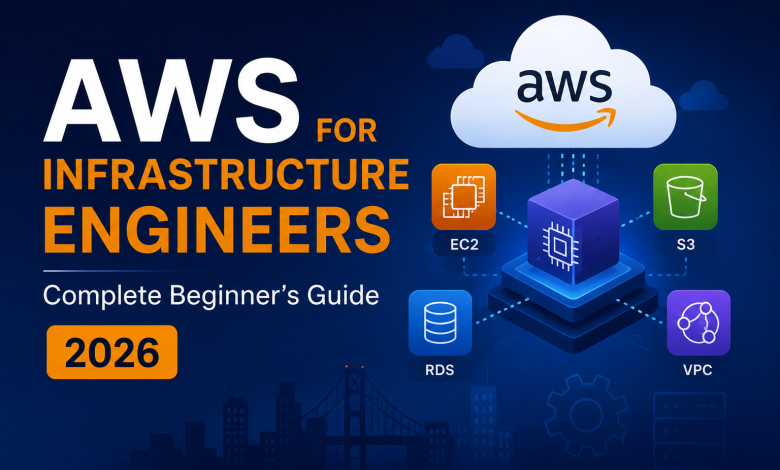
Introduction: AWS Looks Overwhelming… Until You See What’s Really Happening
For many infrastructure engineers, AWS feels overwhelming at first.
Hundreds of services. New terminology. Different architectures. Endless certifications and learning paths.
EC2, VPC, IAM, S3, EKS, Lambda…
It can feel like starting your career all over again.
But here’s the reality:
Most AWS services aren’t introducing new concepts.
They’re packaging infrastructure concepts you already understand into cloud-native services.
Virtual machines become EC2.
Networks become VPCs.
Storage becomes EBS and S3.
Load balancers remain load balancers.
Clusters remain clusters.
Security remains security.
The biggest mistake infrastructure engineers make is assuming they need to forget everything they know and start from zero.
In reality, the opposite is true.
Your experience with servers, networking, storage, virtualization, security, monitoring, troubleshooting, and operations gives you a massive advantage in cloud environments.
AWS isn’t replacing infrastructure knowledge.
It’s building on top of it.
This guide is designed specifically for infrastructure engineers who want to understand AWS through familiar concepts instead of memorizing hundreds of services.
By the end of this guide, you’ll understand:
✅ How AWS services map to infrastructure technologies you already know
✅ The core AWS services every infrastructure engineer should master
✅ How cloud architecture follows the same operational principles used on-premises
✅ Real-world AWS patterns used in production environments
✅ Common mistakes and how to avoid them
Let’s translate infrastructure expertise into cloud expertise.
Prerequisites: What You Already Know
If you’ve managed infrastructure, you already have 80% of what you need:
✅ Networking fundamentals
- VLANs, subnets, routing
- DNS, DHCP
- Firewalls, security groups
✅ Server management
- OS installation and patching
- Performance monitoring
- Troubleshooting
✅ Storage concepts
- RAID, redundancy
- Backup strategies
- Storage types (SSD vs HDD)
✅ High availability
- Clustering
- Load balancing
- Failover mechanisms
✅ Security practices
- User permissions
- Encryption
- Compliance requirements
What you’re learning:
- 🟡 Cloud-specific services
- 🟡 AWS terminology
- 🟡 Cloud-native patterns
- 🟡 Cost optimization
Time to mastery: 2-3 months (not 1-2 years)
Part 1: AWS = Infrastructure You Already Know
Concept 1: Servers → EC2 Instances
What you know:
VMware:
- Provision VM
- Allocate CPU, RAM, disk
- Install OS
- Configure network
- Monitor performance
AWS equivalent:
EC2 (Elastic Compute Cloud):
- Launch instance (like provisioning a VM)
- Choose instance type (CPU/RAM/disk)
- Select AMI (Amazon Machine Image = OS template)
- Configure security groups (like firewall rules)
- Monitor with CloudWatch (like vSphere monitoring)
The parallel:
VMware vSphere = AWS EC2 (same goal: compute resources)
Difference: AWS handles hardware, you manage instances
Concept 2: Networks → VPC
What you know:
On-premises networking:
- VLANs (separate subnets)
- Routers (connect networks)
- Firewalls (control traffic)
- DNS (name resolution)
- NAT (address translation)
AWS equivalent:
VPC (Virtual Private Cloud):
- Subnets (your VLANs)
- Route tables (your routers)
- Security groups (your firewalls)
- Network ACLs (additional firewall rules)
- VPC endpoints (NAT alternative)
- Route 53 (DNS)
The parallel:
Your data center network = AWS VPC (same architecture, same concepts)
Concept 3: Storage → S3, EBS, EFS
What you know:
On-premises storage:
- File servers (share files)
- SAN (block storage)
- Backup storage (long-term)
- Tape archives (really long-term)
AWS equivalent:
S3 (Simple Storage Service):
- Object storage (files)
- Unlimited capacity
- Cost-effective
- Versioning built-in

EBS (Elastic Block Store):
- Block storage (like your SAN)
- Attached to EC2 instances
- Persistent

EFS (Elastic File System):
- Shared file storage
- Network file system (like NFS)
The parallel:
Your storage array = AWS S3 or EBS (different types, same purpose)
Concept 4: Databases → RDS, DynamoDB
What you know:
On-premises databases:
- SQL Server, PostgreSQL, MySQL
- Backup and recovery
- Replication for HA
- Performance tuning
AWS equivalent:
RDS (Relational Database Service):
- Managed SQL databases (you don't manage OS)
- Automated backups
- Multi-AZ replication (automatic failover)
- Read replicas (performance)

DynamoDB:
- NoSQL alternative
- Fully managed
The parallel:
Your database server = AWS RDS (same database, AWS manages infrastructure)
Part 2: Your Infrastructure Thinking Translates
High Availability Architecture
On-premises approach:
You would build:
- 2 servers (redundancy)
- Load balancer in front
- Shared storage (database)
- Health checks (restart if down)
AWS approach (Same thinking!):
You would build:
- 2 EC2 instances (redundancy)
- Application Load Balancer (ALB)
- RDS database (managed HA)
- Auto Scaling Group (restart if down)
See the pattern? Same architecture, different tools.
Disaster Recovery
On-premises:
You would build:
- Primary site (main)
- Backup site (standby)
- Replication (data sync)
- Failover process (manual or automatic)
- RTO: How fast to failover
- RPO: How much data loss acceptable
AWS (Same thinking!):
You would build:
- Primary region (main)
- Backup region (standby)
- Replication (cross-region)
- Route 53 failover (automatic)
- RTO: Same metric
- RPO: Same metric
Your DR knowledge = AWS disaster recovery knowledge
Compliance and Security
On-premises:
You ensure:
- Encryption at rest (on disk)
- Encryption in transit (network)
- Access control (who can access what)
- Audit logging (who did what, when)
- Backup retention (legal requirements)
AWS (Same requirements!):
You ensure:
- KMS encryption (encryption at rest)
- TLS certificates (encryption in transit)
- IAM policies (access control)
- CloudTrail (audit logging)
- Backup policies (retention)
Your security knowledge = AWS security knowledge
Part 3: AWS Services for Infrastructure Engineers
Core Services You Need (Mapped to What You Know)
Compute:
EC2 = Your virtual machines
├─ Launch instances (provision servers)
├─ Security groups (firewall rules)
├─ Auto Scaling (automatic capacity management)
└─ Elastic IPs (static public addresses)

You already know this. Different interface, same concept.
Networking:
VPC = Your network infrastructure
├─ Subnets (network segments)
├─ Route tables (routing rules)
├─ Security groups (firewalls)
├─ Network ACLs (additional firewall)
└─ VPC Peering (network between VPCs)

You already know this. Different interface, same concept.
Storage:
S3 = Your file storage
├─ Objects (files)
├─ Versioning (file history)
├─ Lifecycle policies (automatic archival)
└─ Cross-region replication (disaster recovery)

EBS = Your block storage (like SAN)
├─ Volumes (storage disks)
├─ Snapshots (backups)
└─ Encryption (security)

You already know this. Different interface, same concept.
Database:
RDS = Your database server (but AWS manages infrastructure)
├─ Automated backups (you don't manage anymore!)
├─ Multi-AZ (automatic failover)
├─ Read replicas (scale reads)
└─ Performance Insights (monitoring)

You already understand databases. AWS handles the infrastructure.
Monitoring:
CloudWatch = Your monitoring system
├─ Metrics (CPU, memory, disk = same as before)
├─ Logs (all application logs centralized)
├─ Alarms (notify when something's wrong)
└─ Dashboards (visualize everything)

You already know monitoring. Different interface, same concept.
Part 4: Real Production Architecture Example
On-Premises Architecture (What you might have built)
┌─────────────────────────────────────────┐
│  Users                                  │
└──────────────┬──────────────────────────┘
               │
┌──────────────▼──────────────────────────┐
│  Load Balancer (Hardware)               │
└──────────────┬──────────────────────────┘
               │
      ┌────────┴────────┐
      │                 │
┌─────▼──┐      ┌──────▼───┐
│Server 1│      │ Server 2 │
│ 8GB    │      │  8GB     │
└─────┬──┘      └──────┬───┘
      │                │
┌─────▼──────────────┬─┘
│  SAN Storage       │
│ 500GB RAID5        │
└────────────────────┘
      │
┌─────▼──────────────┐
│ Database Server    │
│ SQL Server         │
└────────────────────┘
      │
┌─────▼──────────────┐
│ Backup Storage     │
│ Tape repository    │
└────────────────────┘
Same Architecture in AWS (Your Knowledge + AWS)
┌──────────────────────────────────────┐
│  Users (Internet)                    │
└──────────────┬───────────────────────┘
               │
┌──────────────▼────────────────────────┐
│  Application Load Balancer (ALB)      │
└──────────────┬────────────────────────┘
               │
      ┌────────┴────────┐
      │                 │
┌─────▼──────┐  ┌──────▼──────┐
│ EC2 Instance│  │ EC2 Instance│
│ (t3.medium) │  │ (t3.medium) │
└─────┬───────┘  └──────┬──────┘
      │                 │
      │   ┌─────────────┘
      │   │
┌─────▼───▼──────────────────┐
│  EBS Volumes (500GB RAID)   │
└─────┬──────────────────────┘
      │
┌─────▼──────────────────────┐
│  RDS Database              │
│  Multi-AZ (HA built-in)    │
└─────┬──────────────────────┘
      │
┌─────▼──────────────────────┐
│  S3 (Backups)              │
│  Lifecycle to Glacier      │
└────────────────────────────┘
See the parallel?
- Your infrastructure thinking = AWS architecture
- Your concepts = AWS services
- You already know how to design this!
Part 5: Key Differences (What Changes)
What’s Different Between On-Premises and AWS
1. You don’t manage hardware
Before: Buy servers, manage cooling, power, physical security
Now: AWS handles hardware, you rent compute
2. You pay per use (not upfront)
Before: Buy $100k server, use for 5 years
Now: Pay $0.50/hour for instance you use
3. You scale instantly
Before: Need more capacity? Buy new hardware (weeks)
Now: Click "launch 10 more instances" (minutes)
4. Everything is software-defined
Before: Click vSphere UI
Now: Infrastructure as Code (everything is code/config)
5. Multiple geographic options
Before: 1 data center location
Now: 30+ AWS regions worldwide
Part 6: Your First AWS Project (As Infrastructure Engineer)
Build a Simple Web Application Infrastructure
What you’ll create:
VPC with:
- 2 EC2 instances (web servers)
- RDS database
- Load balancer
- Monitoring
- Automatic backups
- All with infrastructure-as-code (Terraform)
Step 1: Create VPC (Your Network)
1. Create VPC (10.0.0.0/16) - like your network VLAN
2. Create 2 subnets:
   - Public subnet (10.0.1.0/24) - where load balancer sits
   - Private subnet (10.0.2.0/24) - where database sits
3. Create Internet Gateway (like your router to internet)
4. Create security groups (your firewall rules)
Step 2: Launch EC2 Instances
1. Launch 2 instances (like provisioning VMs)
   - Instance type: t3.medium (2 CPU, 4GB RAM)
   - OS: Amazon Linux 2 (free tier)
2. In public subnet (they get public IPs)
3. Attach security group (firewall rules)
Step 3: Create Load Balancer
1. Application Load Balancer (like your F5)
2. Route traffic to both instances
3. Health checks (restart if one fails)
4. Enable HTTPS (SSL certificate from ACM)
Step 4: Create Database
1. RDS PostgreSQL
2. In private subnet (no internet access - secure!)
3. Multi-AZ enabled (automatic failover)
4. Automated backups (no manual backup scripts!)
Step 5: Monitor Everything
1. CloudWatch metrics:
   - CPU usage (like your vSphere monitoring)
   - Network traffic
   - Database performance
2. CloudWatch alarms:
   - Alert if CPU > 80%
   - Alert if database unhealthy
   - Auto-scale if needed
Time to complete: 4-6 hours (after you understand the concepts)
Cost: ~$50-100/month (or free tier if new account)
Part 7: Common Mistakes Infrastructure Engineers Make
❌ Mistake #1: Trying to Manage Like On-Premises
Wrong approach:
"I'll manage this EC2 instance like a physical server"
- SSH in regularly
- Manual updates
- Manual backups
- Manual monitoring

This defeats cloud benefits!
Right approach:
"I'll manage with infrastructure-as-code"
- Define infrastructure in Terraform
- Automate everything
- Let AWS handle backups
- CloudWatch monitoring
❌ Mistake #2: Treating AWS Like Extended Data Center
Wrong:
"I'll use EC2 for everything"
- EC2 for databases (why? Use RDS!)
- EC2 for file storage (why? Use S3!)
- EC2 for queues (why? Use SQS!)
Right:
Use managed services:
- RDS for databases (AWS manages everything)
- S3 for files (unlimited, cheap, durable)
- SQS for queues (serverless)
❌ Mistake #3: Not Using Auto Scaling
Wrong:
"I'll provision 10 instances"
- Fixed capacity
- Waste money during low traffic
- Can't handle spikes
Right:
"I'll use Auto Scaling"
- Minimum 2 instances
- Maximum 10 instances
- Scale automatically based on traffic
- Pay only for what you use
❌ Mistake #4: Security Groups Misconfiguration
Wrong:
Security group: Allow 0.0.0.0/0 (entire internet!)
- Ports 22, 3389, 5432 all open
- Anyone can attack your servers
Right:
Security groups: Least privilege
- Port 22: Only from your office IP
- Port 443: Only from load balancer
- Port 5432: Only from EC2 instances
Part 8: Cost Optimization (Infrastructure Mindset)
You Already Know Cost Optimization
On-premises:
You would:
- Buy smaller servers when possible
- Shutdown unused servers
- Use cheaper storage for archives
- Right-size infrastructure
AWS (Same thinking!):
You would:
- Use smaller instance types (t3.small vs t3.xlarge)
- Use Spot instances (unused compute - 90% cheaper!)
- Archive to S3 Glacier (cold storage - 80% cheaper!)
- Right-size with monitoring data
Real Cost Example
On-premises:
Server: $50,000 (upfront)
Power/cooling: $5,000/year
Maintenance: $2,000/year
Space: $3,000/year
─────────────────────
Total 5 years: $75,000
AWS (Same capacity):
2x t3.medium instances: $60/month
RDS database: $80/month
Data transfer: $20/month
─────────────────────
Total 5 years: $8,400

Savings: $66,600! 🎉
Part 9: Career Path for Infrastructure Engineers on AWS
Your Advantage
Most developers learning cloud: "What's a subnet? How does networking work?"
You: "I designed networks for 5 years. I understand this."

Most cloud engineers: "How do I manage servers manually?"
You: "I automated everything. Infrastructure-as-code is natural."

Your infrastructure background = MASSIVE advantage in cloud
Job Titles You Can Target
Cloud Infrastructure Engineer
- Manage AWS infrastructure
- Design networks and compute
- Optimize costs
- Salary: €110k-140k
Cloud Architect
- Design cloud solutions
- Plan migrations
- Optimize architectures
- Salary: €140k-180k
Site Reliability Engineer (SRE)
- Build infrastructure
- Automation
- Monitoring
- Salary: €120k-150k
DevOps Engineer (Infrastructure Focus)
- Infrastructure automation
- CI/CD infrastructure
- Infrastructure monitoring
- Salary: €115k-145k
Part 10: FAQ: Infrastructure Engineers Learning AWS
Q: How long to become proficient?
A: 3-6 months (faster than software developers)
Why? You already understand:
- Networking ✅
- Storage ✅
- Databases ✅
- High availability ✅
- Security ✅
You just need to learn AWS service names and APIs.
Q: Should I learn AWS or Azure?
A: AWS (for most jobs)
Why?
- AWS: 32% market share, 70% of cloud jobs
- Azure: 23% market share, 30% of cloud jobs
- AWS has more infrastructure-heavy roles
(If your company uses Azure, learn Azure. Otherwise, AWS.)
Q: How is AWS different from Terraform?
A: They’re different things
- AWS: Cloud platform (where you deploy)
- Terraform: Infrastructure-as-Code tool (how you deploy)
You learn both:
- Learn AWS services (EC2, RDS, VPC, etc.)
- Learn Terraform to automate AWS
Q: Can I use my VMware knowledge?
A: 100% YES
VMware knowledge → AWS equivalent
├─ vSphere clusters → Auto Scaling groups
├─ vMotion (live migration) → AWS rolling updates
├─ Storage vMotion → EBS snapshots
├─ vSAN (shared storage) → EBS volumes
├─ NSX (networking) → VPC/Security Groups
└─ vRealize (monitoring) → CloudWatch

Your knowledge translates directly!
Q: Will AWS replace my job?
A: No, it will evolve it
Old role: "Manage physical servers"
New role: "Design and automate cloud infrastructure"

You're not losing value. You're gaining skills.
Your infrastructure knowledge = more valuable in cloud era.
Conclusion: Your Infrastructure Knowledge is Gold
Here’s the truth:
Most cloud engineers don’t understand infrastructure.
They know:
- How to launch an EC2 instance ✅
- How to use managed services ✅
They DON’T know:
- Why you need multiple subnets ❌
- How to design for redundancy ❌
- How to optimize storage ❌
- How to plan for disasters ❌
You know all of that.
Your 5 years managing VMware, Windows servers, Active Directory, networks, storage — that knowledge doesn’t disappear. It EVOLVES.
AWS isn’t replacing your skills. It’s amplifying them.
You have an unfair advantage:
- ✅ You understand systems thinking
- ✅ You understand high availability
- ✅ You understand security
- ✅ You understand disaster recovery
- ✅ You understand cost optimization
Software developers learning cloud? They struggle with these concepts.
You? You already get it. You just need to learn AWS syntax.
That’s why infrastructure engineers become the best cloud architects.
Your Next Steps
This week:
☑️ Create free AWS account (aws.amazon.com/free/)
☑️ Launch your first EC2 instance
☑️ Create a VPC (your network)
☑️ Compare it mentally to your VMware experience
This month:
☑️ Build the example project (load balancer + EC2 + database)
☑️ Look at your bill (understand costs)
☑️ Explore CloudWatch (your monitoring)
☑️ Read AWS documentation (it's good!)
Next 3 months:
☑️ Build real projects
☑️ Learn Terraform (infrastructure-as-code)
☑️ Get AWS Certified Solutions Architect Associate
☑️ Start applying for Cloud Engineer jobs