
Building secure, scalable, and automated cloud solutions is no longer optional — it is a core requirement for modern applications.
In this article, we will walk through a real-world approach to deploying a secure ASP.NET Core Web API on Microsoft Azure using Docker and Terraform.
This setup reflects how cloud and DevOps engineers design production-ready environments using Infrastructure as Code (IaC), containerization, and Azure-native services.
Why Docker & Terraform on Azure?
Using Docker and Terraform together provides a powerful combination:
- Docker ensures application consistency across environments.
- Terraform enables repeatable, version-controlled infrastructure deployments.
- Azure provides enterprise-grade security, scalability, and native cloud services.
This approach eliminates configuration drift, reduces deployment errors, and aligns with modern DevOps best practices.
Architecture Overview
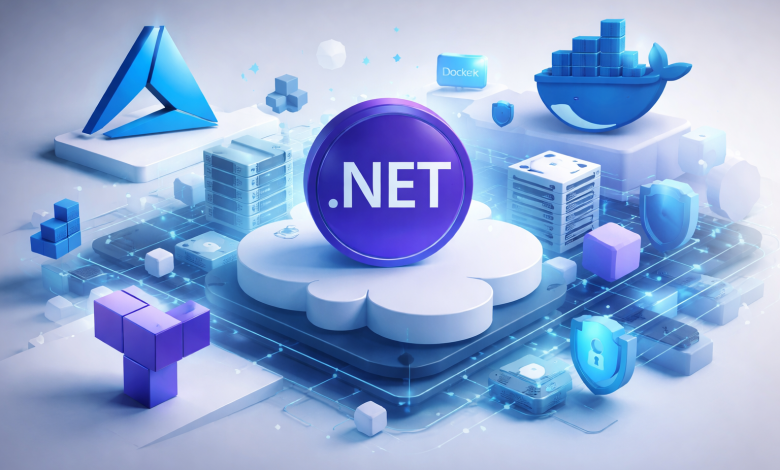
The solution architecture consists of the following components:
- ASP.NET Core Web API (containerized using Docker)
- Azure App Service for Containers
- Azure Container Registry (ACR)
- Azure Virtual Network & Networking Rules
- Azure Key Vault for secrets management
- Terraform for Infrastructure as Code
Terraform provisions all Azure resources, while Docker packages the application into a lightweight, portable container image.
Step 1: Containerizing the ASP.NET Core API
Start by creating a simple ASP.NET Core Web API project.
Then add a Dockerfile to containerize the application.
🚀 Cloud & DevOps is better when discussed, not Googled.
Join our Discord community to talk about real problems, tools, and lessons learned.
👉 Join the Discord CommunityFROM mcr.microsoft.com/dotnet/aspnet:8.0 AS base WORKDIR /app EXPOSE 80 FROM mcr.microsoft.com/dotnet/sdk:8.0 AS build WORKDIR /src COPY . . RUN dotnet publish -c Release -o /app/publish FROM base AS final WORKDIR /app COPY --from=build /app/publish . ENTRYPOINT ["dotnet", "MyApi.dll"]
This multi-stage Docker build produces a secure and optimized container image suitable for production environments.
Step 2: Pushing the Image to Azure Container Registry
Azure Container Registry (ACR) is used to store and manage container images securely.
After creating the registry, build and push the image:
docker build -t myacr.azurecr.io/aspnet-api:latest .
docker push myacr.azurecr.io/aspnet-api:latest
ACR integrates seamlessly with Azure App Service and supports role-based access control (RBAC).
Step 3: Provisioning Azure Infrastructure with Terraform
Terraform allows us to define all Azure resources using declarative configuration files.
Below is a simplified example:
resource "azurerm_resource_group" "rg" {
name = "rg-aspnet-api"
location = "West Europe"
}

resource "azurerm_container_registry" "acr" {
name = "myacr"
resource_group_name = azurerm_resource_group.rg.name
location = azurerm_resource_group.rg.location
sku = "Basic"
admin_enabled = true
}
Additional Terraform modules can be added for App Service, networking, Key Vault, monitoring, and security policies.
Step 4: Deploying the Container to Azure App Service
Azure App Service for Containers provides a fully managed hosting environment with built-in scaling and security.
Terraform can deploy the container directly from ACR:
resource "azurerm_linux_web_app" "app" {
name = "aspnet-api-app"
resource_group_name = azurerm_resource_group.rg.name
location = azurerm_resource_group.rg.location
service_plan_id = azurerm_service_plan.plan.id

site_config {
application_stack {
docker_image = "myacr.azurecr.io/aspnet-api"
docker_image_tag = "latest"
}
}
}
Managed Identity can be enabled to securely access Azure Key Vault without storing secrets in code.
Step 5: Security Best Practices
Security is a critical aspect of any cloud deployment.
Key practices include:
- Using Azure Key Vault for connection strings and secrets
- Restricting network access using VNet integration
- Enabling HTTPS-only communication
- Applying least-privilege RBAC permissions
- Enabling Azure Monitor and Log Analytics
These measures significantly reduce attack surfaces and improve operational resilience.
Step 6: Monitoring and Observability
Azure Monitor and Application Insights provide visibility into:
- Application performance
- Request latency and failures
- Infrastructure health
- Security and access logs
Monitoring ensures faster incident response and better system reliability.
Why This Matters for Cloud Engineers
This deployment model demonstrates real-world skills expected from modern Azure Cloud Engineers:
- Infrastructure as Code using Terraform
- Containerization with Docker
- Secure Azure networking and identity
- Automation-ready, production-grade architecture
It aligns perfectly with enterprise Azure environments in Europe, the Middle East, and global markets.
Conclusion
Deploying an ASP.NET Core API on Azure using Docker and Terraform provides a secure, scalable, and automated foundation for modern applications.
By combining containerization with Infrastructure as Code, teams can deliver consistent environments, improve security, and accelerate deployments.
This approach is not only suitable for production workloads but also serves as an excellent portfolio project for cloud and DevOps engineers aiming to demonstrate real-world Azure expertise.
🚀 Cloud & DevOps is better when discussed, not Googled.
Join our Discord community to talk about real problems, tools, and lessons learned.
👉 Join the Discord Community